New Chrome Extension
Interview candidates without changing tabs
Add candidates from LinkedIn, Indeed, or your ATS. Call them. Submit them with a Honeit Candidate Presentation, complete with scorecards and interview soundbites. One click each.
New Chrome Extension
Add candidates from LinkedIn, Indeed, or your ATS. Call them. Submit them with a Honeit Candidate Presentation, complete with scorecards and interview soundbites. One click each.
How it works
You do the talking. Honeit takes care of the clicks before and after the conversation.
Spotted the right person on LinkedIn, Indeed, or in your ATS? Auto-fill them into Honeit right from the profile. No copying names, emails, or phone numbers.
Hit Call now in the sidebar, or text or schedule if that fits better. Open your call guide and bring in the Honeit notetaker while you talk.
When the call ends, share a Honeit Candidate Presentation with scorecards and interview soundbites, so your hiring manager hears the candidate instead of reading a summary.
See it in action
A quick look at adding, calling, and submitting candidates in three clicks.
Inside the extension
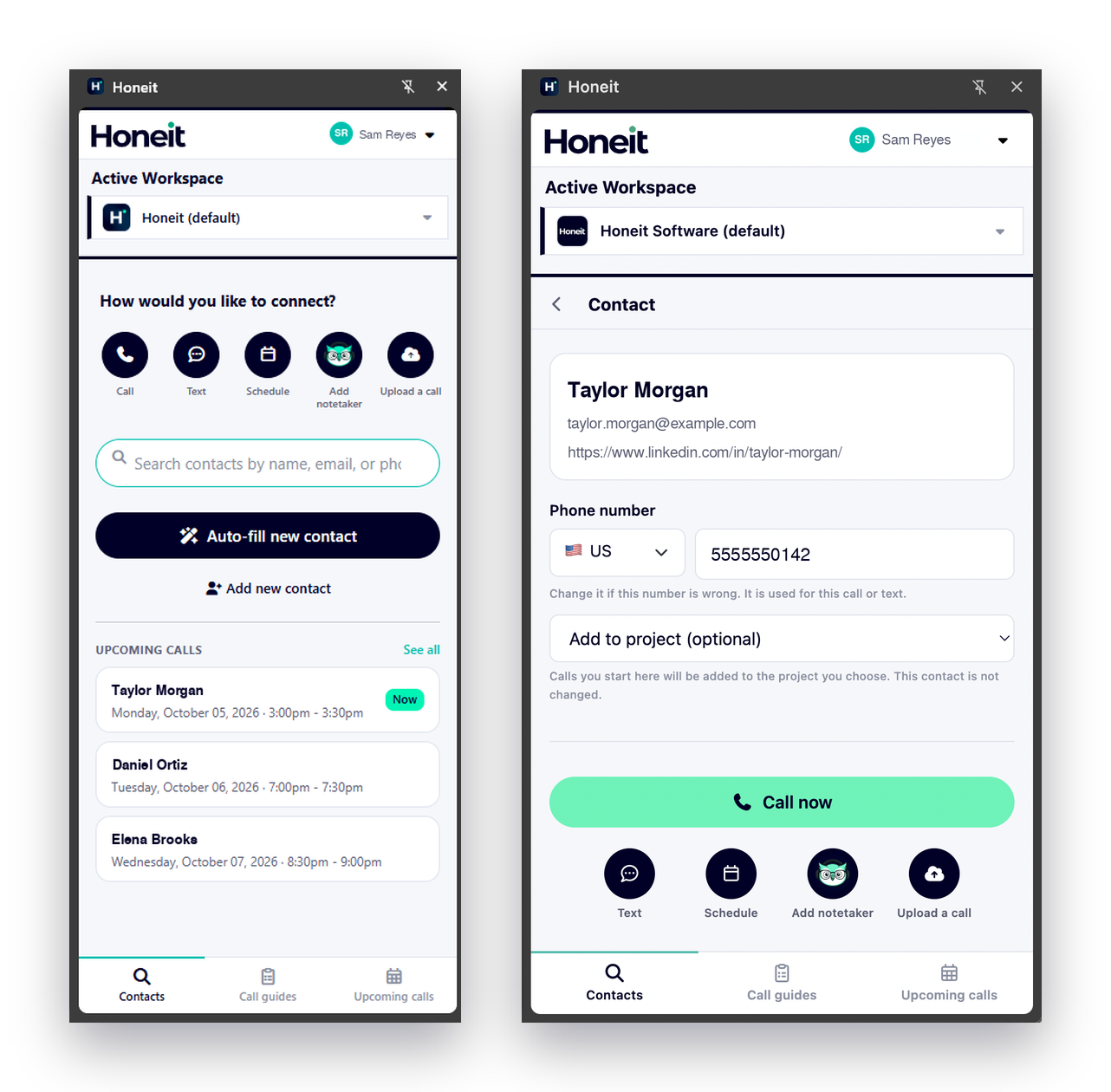
Reach the candidate however fits best, straight from the sidebar.
Pull candidate details from LinkedIn, Indeed, or your ATS, or search for someone already in Honeit.
Bring the Honeit notetaker into your call, or upload an interview you already recorded.
Keep every interview consistent with your guide open while you talk.
See today's interviews and jump into the next one when it's time.
After the call
Every interview becomes a Honeit Candidate Presentation your hiring manager can review in minutes: a scorecard built from your call guide, plus soundbites from the actual conversation.
Hiring teams can hear personality, enthusiasm, and communication skills in seconds.