Question Pages
How do Honeit question pages work?
Honeit question pages are CMS guides that answer the questions recruiting and hiring teams search for. You add a page by prompting the Website Bot or uploading a CSV, empty sections hide on their own, and each page includes FAQ, HowTo and Article schema for search and AI answers.
The Short Answer
Every section on this page is turned on.
How It Works
From a question to a drafted guide page.
This is the definition and numbered steps section. A question page is one item in the Guides collection. The page type and topic set the defaults, show columns turn sections on or off, and empty sections stay hidden.
What a question page is
- A CMS collection item
One Guides item becomes one page at /guides, with the question as the H1. - Page type and topic
Page type sets which sections start on. Topic groups the related guides. - Draft until approval
New pages land as drafts. Nothing goes live unless Nick approves it.
How you add a page
- Prompt the Website Bot
Ask for a new question page and the bot drafts the CMS item for you. - Upload a CSV
Add a row to the authoring CSV, run the build, then import the draft. - Fill only what you need
Put TRUE, FALSE or leave blank in each show column. Blank uses the page type default.
How sections turn on or off
- The show column
TRUE shows the section, FALSE hides it, blank uses the default for that page type. - Content has to be there
If a switch is TRUE but the content is empty, the build turns the switch off. - Empty sections hide
CSS hides a block when its field is empty or its collection list has no items.
How related guides are picked
- Same topic first
Up to four other guides that share this page's topic, newest first. - Other topics fill gaps
If fewer than four sit in the same topic, keyword matches from other topics fill the rest. - A manual list wins
A related_guides value in the CSV always overrides the automatic picks.
Why this helps search and answers
- FAQ, HowTo and Article
Each page outputs JSON-LD so search and AI tools can quote the answer and the steps. - A short answer up top
The two sentence answer is the line AI tools are most likely to quote. - Sources stay visible
Claims and dates can be cited in the sources line under the table.
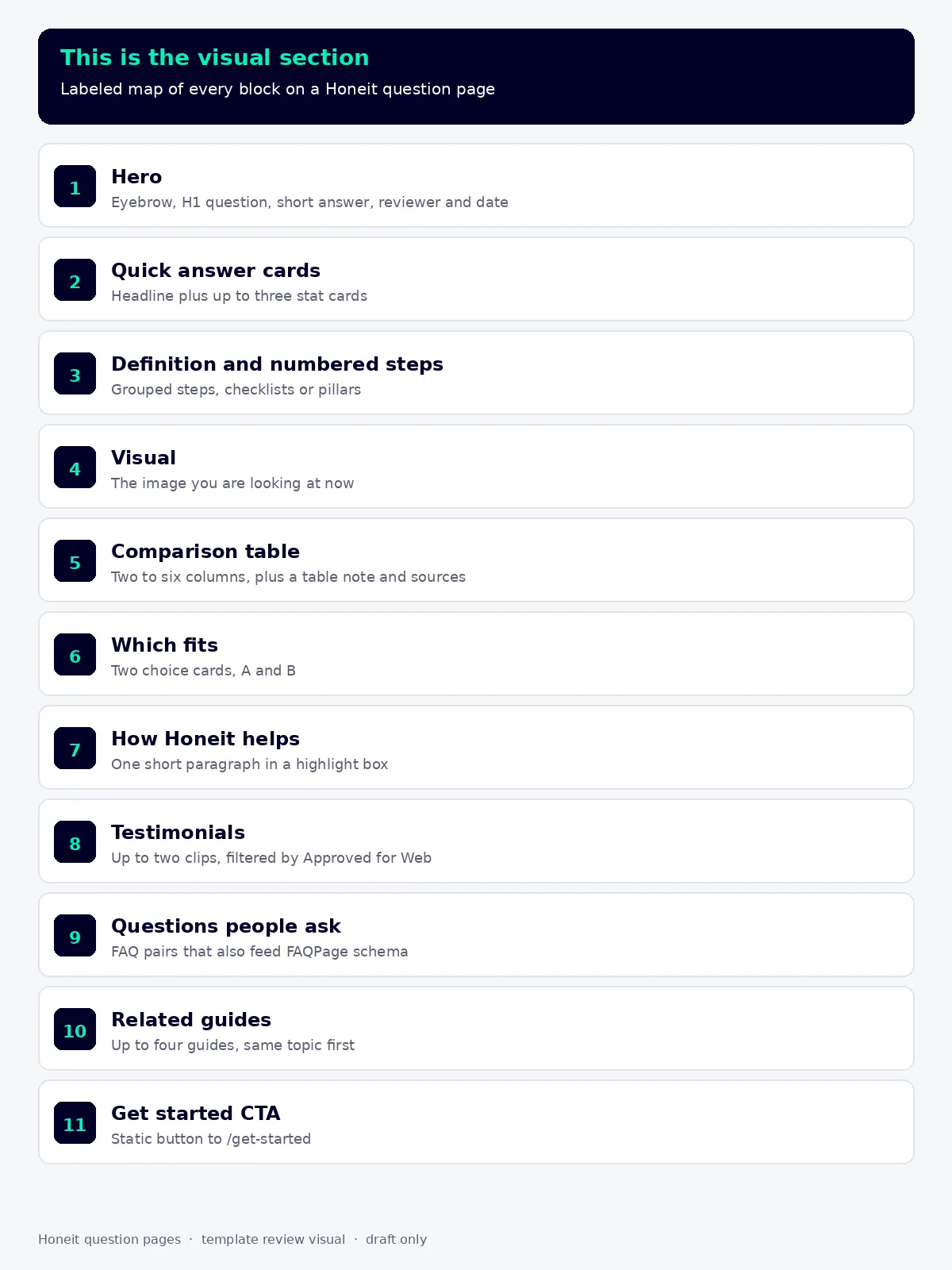
The Sections
This is the comparison table section, with a row for each block on the template.
This is the table note. In the CSV, a single | separates cells and || separates rows. Switch defaults come from the page type. A TRUE or FALSE value in the CSV overrides the default.
Which Fits
This is the which fits section. Choose how you want to add a page.
This is the How Honeit helps box. Question pages give recruiting and hiring teams a clear, quotable answer they can share, with schema that helps search and AI tools cite the page. Honeit is interview intelligence for those teams, and the Get started path stays at /get-started.
Questions People Ask
Straight answers.
How do I create a new question page?
Prompt the Website Bot with the question you want answered, or add a row to the authoring CSV and ask the bot to import it as a draft.
What do the show columns mean?
TRUE shows that section, FALSE hides it, and a blank cell uses the default for the page type. If the content is empty, the build turns the switch off.
Will empty sections show in the Designer preview?
Preview can still show empty wrappers. On the live page, CSS hides a section when its field is empty or its collection list has no items.
How do related guides get picked?
When related_guides is blank, the build picks up to four guides in the same topic, then fills any gaps with keyword matches from other topics. A typed list of slugs always wins. You can also exclude slugs.
What schema does a question page include?
Every page includes WebPage, Article, Organization and BreadcrumbList. A visible FAQ adds FAQPage, a How-to adds HowTo, and a visible table adds Table. Best tools tables also add an ItemList.
Can I hide a section that is on by default?
Yes. Set that show column to FALSE, or leave the content blank and the build will turn the switch off.
Why might testimonial clips be missing?
This page references two placeholder clips. The list is filtered by Approved for Web, so placeholders will not render until a real, approved clip is added.
How do I ask for a change after a draft is in Webflow?
Prompt the Website Bot with the page and the change. Nothing is published until Nick approves it in his own words.
Your next interview is one click away.
Install the extension and start a 14-day free trial. No credit card required.